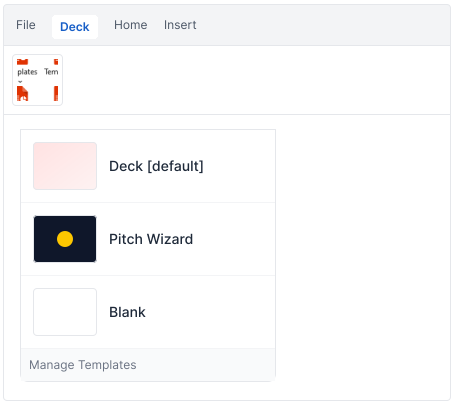

The Templates feature in Deck allows users to create presentations using preconfigured templates directly within PowerPoint. These templates help users start with the appropriate structure, layout, and formatting, enabling them to build presentations more efficiently and consistently. Templates can be accessed directly from Deck tab in the PowerPoint ribbon.
Accessing Templates
- 1.Open PowerPoint.
- 2.Select the Deck tab and click Templates to access the available Deck templates.
- 3. A drop-down menu will appear, displaying the templates available to you. Choose your template, then click it to open a new presentation. Deck will apply the selected template and create the presentation accordingly.